


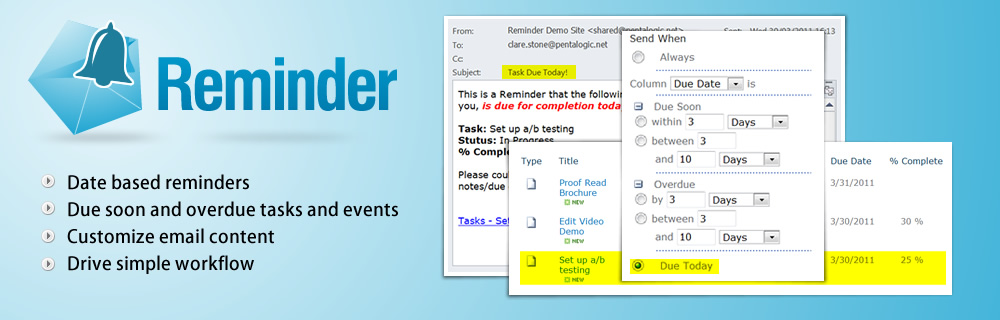



Ever wished that SharePoint Alerts worked more like Outlook Reminders . . ?
For people used to setting up Outlook Reminders for their tasks and appointments SharePoint's built in Alerts - which simply notify users of changes to lists - can seem very limited.
Pentalogic SharePoint Reminder web part overcomes those limitations by allowing users to customize SharePoint Alerts, set up time/date based Reminders for tasks and events in SharePoint Lists.
Pentalogic Reminder web part is the longest-established product of its kind on the market and after more than 4 years of continuous development is still the most functionally rich. Click here to see a comparison of the main Alert Enhancement web parts on the market.
Example Uses
Simple SharePoint Workflow - Supplier Invoice ApprovalSharePoint comes with powerful built in workflow functionality, but to use it you need to be able to use SharePoint designer or Visual Studio. For many users this is just too complex. With SharePoint Reminder, quickly and easily set up simple workflow on any list or library with an Approval column or a custom state/choice column. This example shows a supplier invoice approval workflow. |
 |
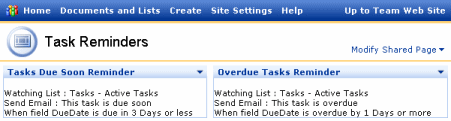
Task ManagementProbably the most common use of Reminder. Set up the software to automatically send reminder emails when Tasks are approaching their due date - then another once they are overdue. |
 |
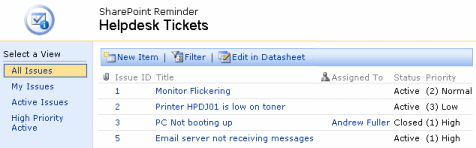
Help Desk ManagementLet Reminder automatically track Helpdesk Tickets in a Task list and escalate those not resolved within a specified time frame. |
 |
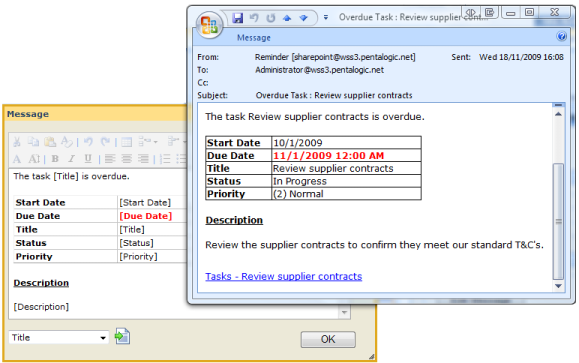
Enhanced AlertsUse Reminder to Alert people to changes in SharePoint lists, as you would with SharePoint's built in Alerts, but with enhanced flexibility on who gets the Alerts and when, and the ability to customize the Alert emails with merge data from your lists, and Rich Text Formatting. |
 |
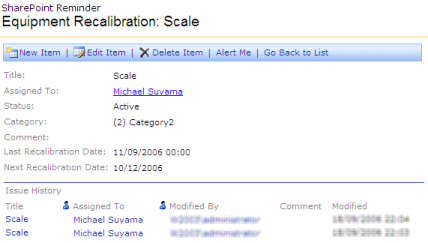
Equipment Testing and RecalibrationUse SharePoint and Reminder to ensure that compliance standards are met, by sending out timely Reminders for equipment testing/recalibration and keeping a full audit trail. |
 |
Events ListRemind team members of upcoming appointments and events |
Case Study
"ACME", leading US defense attorneys, chose Reminder to enhance their job tracking system. Mr W.P. - Practice Support Director explains here why they chose Reminder and how it helps them.
Key Features
- Email Reminders for Due Soon/Due Today/Overdue tasks and events
- Reminders sent at specified times - e.g. 15 minutes before your meeting, 4 hours after a Helpdesk ticket has been submitted.
- Reminders sent on specific days of the week/month/year - e.g. monthly sales report reminders or annual Birthday Reminders.
- Customize alert emails with your own content
- Customize alert emails with merge data from your lists
- Customize alert emails with Rich Text formatting including tables and text colors and effects.
- Send alert emails to individuals or groups
- Send alert emails based on multiple columns in your list - e.g. "assigned to" and "reported by"
- Send alert email based on the approval status of your list item.
- Send alert emails to people not registered on SharePoint.
FAQ
Which versions of SharePoint does Reminder require?
Reminder works with all on-premises versions of SharePoint including SharePoint Server Subscription Edition, 2019, 2016, 2013 & 2010
For Office 365, please see Reminder's sister product: Reminder 365
How does Pentalogic Reminder differ from the SharePoint's built in Alerts feature?
SharePoint's "out of the box" Alerts feature is only triggered when something changes on the list - for example if a Task is assigned to you to complete. SharePoint Reminder adds the ability to send out emails on certain date based events - for example it can constantly monitor a Task list and send out a 'This Task is Due Soon' email when the Due Date is less than 3 days away. It can also send out another email if a task becomes overdue. The key is that its constantly checking the lists you specify, rather than only being able to send out emails when a user does something. See Common Scenarios for some examples of how it could be used.
How do I use Pentalogic Reminder?
Pentalogic Reminder is delivered as a SharePoint web part and an NT Service. Once installed on a SharePoint server you add it to a Web Part Page and then configure it to 'watch' one of your lists and send out Reminder emails according to your requirements.
Does Pentalogic Reminder need any client software or ActiveX/JavaApplets installed?
No - it works using standard HTML only, no client software is required.
How is Pentalogic Reminder Licensed?
Generally, it is licensed according to the number of Web Front End servers you will be using it on. We also offer a Site license option, for very large deployments, and a user-limited license for small businesses/teams. See the Purchase page for full details.
You can see more FAQ's in the online manual.

