



SharePoint Highlighter
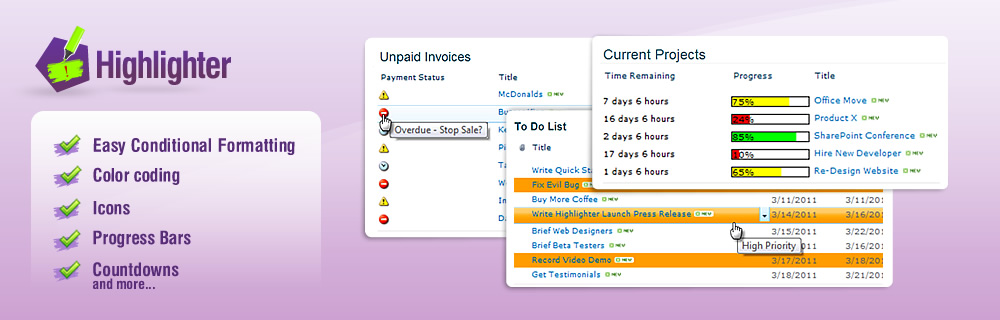
Highlighter allows you to easily apply conditional formatting to your SharePoint lists to ensure it’s obvious:-
- How much time is left to complete this task?
- What’s overdue?
- What each person should be working on right now
- What the priorities are
Highlight the important parts of your lists with colour coding, icons, progress bars and more!
Key Benefits
|
 |
|---|
Highlighter Example Uses
Highlight Overdue ItemsDo you want to highlight dates that have passed? Here's a quick example showing you how: |
 |
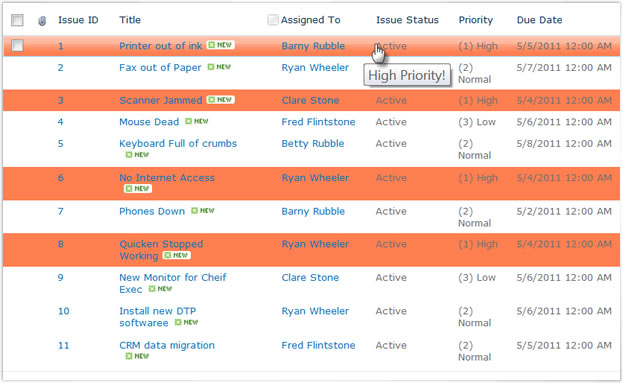
Highlight High Priority ItemsIf you run a busy help desk or customer service center it's easy to miss the high priority tickets in the mass of incoming items. |
 |
My Telephone MessagesAvoid lost post-its and e-mails that crowd your inbox: Put your telephone messages into a SharePoint list. If you do, SharePoint Highlighter can help by letting each team member easily identify their own messages. Here's how... |
 |
Manage Overdue InvoicesStore your invoices in a document library? |
 |
FAQ
Which versions of SharePoint does Highlighter support?
Highlighter supports all editions of SharePoint 2010, 2013, 2016, but not SharePoint Online.
Also compatible with SharePoint 2019 and SharePoint Server Subscription Edition but only when running in 'Classic Mode Experience'
If you wish to run Highlighter in SharePoint 2013's "14 mode" (where it continues to look like SharePoint 2010) there is an extra command to run after installation. Contact [email protected] for details.
How do I use Pentalogic Highlighter?
Pentalogic Highlighter is a Custom Column. Once installed on a SharePoint server you add it to any SharePoint List or Library.
Do I need SharePoint Administrator permissions to use Highlighter?
No, you don’t need administrator permissions to use Highlighter, it can be made available to all users. However you do need administration permissions and access to your SharePoint server in order to install Highlighter.
Does Highlighter need any client software of ActiveX/JavaApplets installed?
No client software is required to add or view Highlighter columns.